
Adding military-time can be confusing when hours and minutes cross an hour, noon, midnight, or the end of a 24-hour day. Calculator Online Pro makes these calculations easier by letting you work directly with time values and get a result without doing every step manually.
Whether you need to add hours to a military-time schedule, calculate a future time, combine work periods, or check an overnight calculation, the Add Time Calculator and Military-Time Converter can help you get the result quickly.
Calculator Online Pro is designed around fast, browser-based calculations. Its time tools run directly in your browser, so you can enter your values and get results without creating an account.
Add Military-Time Quickly With Calculator Online Pro
If you already have your military-time values, you do not need to manually convert everything to AM and PM before calculating.
Use the Add Time Calculator to enter your time values and calculate the combined result automatically.
Calculator Online Pro provides dedicated time tools so you can work directly with the type of calculation you need.
How to Sum Military-Time Manually
The easiest way to add military-time is to treat the hours and minutes separately while remembering that 60 minutes equals 1 hour.
Example
Break the values into hours and minutes:
- 14 hours + 2 hours = 16 hours
- 30 minutes + 30 minutes = 60 minutes
- 60 minutes = 1 additional hour
Answer: 1700
The important part is carrying the extra hour whenever the minutes reach 60.
Example: Sum Military-Time Without Carrying Minutes
Suppose you need to calculate:
Add the hours:
Add the minutes:
Result:
So, 0800 + 0230 = 1030.
This type of calculation is straightforward when the minutes remain below 60.
Example: Adding Military-Time When Minutes Exceed 60
Consider:
First add the hours:
Then add the minutes:
Because 75 minutes equals 1 hour and 15 minutes, carry one hour into the hour total.
Remaining minutes: 15
The same calculation can be performed instantly with Calculator Online Pro’s time tools.
How to Sum Military-Time Across Noon
Adding time across noon does not require switching between AM and PM.
Add two hours to 11:30:
Result: 1330
This is one advantage of working directly with the 24-hour format: the hours continue numerically instead of resetting after 12.
How to Sum Military-Time Across Midnight
Overnight calculations require extra attention because the clock returns to 0000 after the end of the day.
Starting at 2200:
- +1 hour = 2300
- +2 hours = 0000
- +3 hours = 0100
When calculating manually, remember that military-time cycles from the end of one day into the beginning of the next.
How to Sum Military-Time With Minutes
When both the starting time and added duration contain minutes, use the 60-minute carry rule.
Example
Add the hours:
Add the minutes:
Convert 75 minutes:
Add the extra hour:
Final result:
So:
If you perform these calculations regularly, entering the values into an online calculator can reduce the amount of manual carrying you need to do.
How to Add Multiple Military-Times
You may also need to combine several time values rather than adding only two.
Add the hours:
Add the minutes:
Convert 75 minutes into:
Add the additional hour:
Final result: 0515
Calculator Online Pro’s Add Time Calculator is useful when you have several values because you can use the calculator instead of repeatedly performing the carry calculations yourself.
Military-Time Addition Examples
| Calculation | Result |
|---|---|
| 0800 + 0100 | 0900 |
| 0930 + 0230 | 1200 |
| 1045 + 0230 | 1315 |
| 1130 + 0200 | 1330 |
| 1430 + 0230 | 1700 |
| 1845 + 0230 | 2115 |
| 2100 + 0400 | 0100 next day |
| 2200 + 0300 | 0100 next day |
| 2330 + 0200 | 0130 next day |
These examples cover the most common situations: normal additions, minute carrying, noon crossings, and calculations that pass midnight.
Adding Military-Time for Work Shifts
Military-time addition can be particularly useful when working with schedules, shifts, appointments, dispatch times, or operational timelines.
For example, if a shift begins at:
and you need to add:
The calculation is:
Because the result passes midnight, the final time is:
For longer schedules, using an online time calculator can help reduce mistakes caused by manually carrying minutes and crossing midnight.
Calculator Online Pro provides several related time tools, including Time Calculator, Time Duration Calculator, Military-Time Converter, Add Time Calculator, Time to Decimal Calculator, Minutes to Hours Calculator, and Seconds to Time Converter.
Add Military-Time When the Result Passes 2400
Military-time calculations can move into the next calendar day.
Adding two hours gives:
The result is therefore:
0100 next day
You can think of the calculation as reaching midnight at 0000 and then continuing into the next day’s hours.
The sequence is:
Therefore:
2330 + 0130 = 0100 next day
Military-Time Addition vs. Standard Time Addition
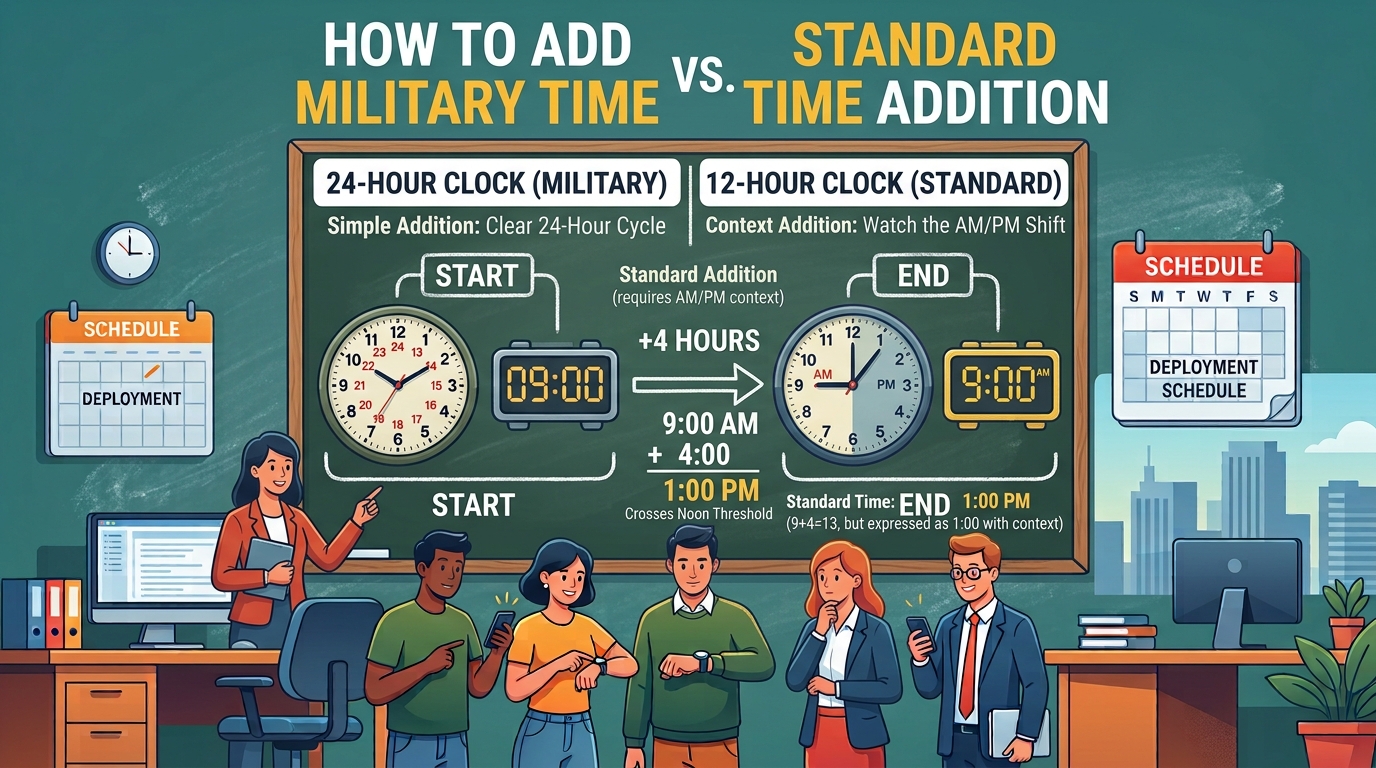
The arithmetic itself is similar, but military-time calculations use a continuous 24-hour sequence.
Standard Time
Military-Time
The military-time version avoids switching between AM and PM while performing the calculation.
For a detailed explanation of converting between the two formats, use the Calculator Online Pro military-time guide.
Common Military-Time Addition Mistakes
Forgetting to Carry 60 Minutes
If the minutes total more than 59, convert the excess minutes into hours.
The correct conversion is:
Treating 2400 Like a Normal Hour Value
When a calculation reaches the end of the day, the clock rolls into the next day.
The result is not written as 2500 when expressing the resulting clock time.
Forgetting the Date Changes After Midnight
If you are adding time to a late-evening starting point, the final clock time may belong to the following calendar day.
This matters when calculating schedules, shifts, deadlines, or appointments.
Converting Unnecessarily
If your original values are already in military-time, you can perform the calculation directly in the 24-hour format.
For repeated calculations, this saves steps and makes the process easier to check.
Use Calculator Online Pro to Add Military-Time Faster
Manual military-time calculations are useful for understanding the process, but you do not always need to calculate every value by hand.
Calculator Online Pro provides dedicated tools for different time-related tasks:
Why Use Calculator Online Pro for Military-Time Calculations?
Quick Military-Time Addition Formula
For a simple manual calculation:
Quick Example
Hours:
Minutes:
Carry:
Final:
Result: 1815
For frequent calculations, you can skip these manual steps and use the Calculator Online Pro Add Time Calculator.
Frequently Asked Questions About Adding Military-Time
How do I add military-time?
Add the hours and minutes separately. When the minutes reach 60, convert 60 minutes into one hour and carry that hour into the total. If the calculation passes midnight, continue from 0000.
What is 1430 plus 0230 in military-time?
1430 + 0230 = 1700.
What is 1845 plus 0230?
1845 + 0230 = 2115.
The 45 minutes plus 30 minutes produces 75 minutes, which becomes 1 hour and 15 minutes.
What happens when military-time addition passes midnight?
The clock starts again at 0000 on the next day. For example:
Can I add military-time without converting to AM and PM?
Yes. You can calculate directly using the 24-hour values. Converting to standard time first is not necessary.
Is there a calculator for adding military-time?
Yes. Calculator Online Pro provides an Add Time Calculator for adding time values, along with time tools for working with military and standard time.
Can I use Calculator Online Pro on my phone?
Yes. Calculator Online Pro states that its tools are optimized for mobile browsers, including iPhone, Android, and tablets.
Calculate Military-Time Without the Manual Work
Adding military-time becomes much easier once you handle the hours, minutes, and midnight transition correctly. For occasional calculations, the manual method above gives you a quick way to verify an answer.
For repeated calculations, let Calculator Online Pro handle the arithmetic for you.
Need to add military-time quickly?
Use Calculator Online Pro to work with military-time values without the manual calculations.