
Calculate how many hours you worked, subtract unpaid breaks, check overnight shifts, and total working time without manually counting every minute.
Need to calculate how many hours you worked today? A Work Hours Calculator helps you work out the time between clock-in and clock-out, subtract unpaid breaks, calculate shift length, and check your total working hours without manually doing the maths.
Whether you are completing a timesheet, checking your weekly hours, planning employee shifts, or preparing work records, accurate time calculations make it easier to organize your schedule and avoid mistakes.
Use the Work Hours Calculator on Calculator Online Pro to simplify your calculations and find the total time spent working.
Calculate Your Work Hours
Work out shift duration, account for breaks, and check your working-time totals more easily.
Calculate Your Work Hours Quickly
To calculate your working time, you need your start time, finish time, and any unpaid break that should be deducted.
For example, if you start work at 9:00 AM and finish at 5:30 PM, your total time at work is 8 hours 30 minutes. If you take a 30-minute unpaid lunch break, your actual working time is 8 hours.
| Clock In | Clock Out | Unpaid Break | Hours Worked |
|---|---|---|---|
| 8:00 AM | 4:00 PM | 0 minutes | 8 hours |
| 8:30 AM | 5:00 PM | 30 minutes | 8 hours |
| 9:00 AM | 5:30 PM | 30 minutes | 8 hours |
| 7:00 AM | 3:30 PM | 30 minutes | 8 hours |
| 10:00 PM | 6:00 AM next day | 30 minutes | 7 hours 30 minutes |
These examples show the difference between the total time between clock-in and clock-out and the time remaining after an unpaid break.
Ready to calculate your shift?
Enter your working times and check the duration with the online tool.
How to Calculate Working Hours Between Two Times
Follow these steps to find your total hours worked.
1. Enter Your Clock-In Time
Choose the time you started working. Check that you have selected the correct hour and AM/PM setting.
2. Enter Your Clock-Out Time
Select when your shift ended. For overnight work, make sure the finish time belongs to the following day when appropriate.
3. Calculate the Total Duration
Find the difference between the start and finish times before deducting breaks.
= 8 hours 30 minutes
4. Subtract Unpaid Breaks
Deduct the lunch or other break time that should not count as working time.
= 8 hours
5. Check Your Result
Review the total in hours and minutes before adding it to your timesheet. Make sure the break deduction and dates are correct.
The calculation is straightforward:
This method works for ordinary daytime shifts. If your shift crosses midnight, account for the change of day before calculating the duration.
Need to calculate elapsed time for work or other everyday activities?
Work Hours Calculator With Breaks
Break deductions are important when calculating actual working hours. A shift may last nine hours from arrival to departure, but your counted work time could be shorter if you take an unpaid lunch break.
Example: 8:00 AM to 5:00 PM With a One-Hour Break
You can use the same approach for 15-minute, 30-minute, 45-minute, or 60-minute breaks.
| Total Shift Duration | Break Deducted | Net Working Time |
|---|---|---|
| 8 hours | 30 minutes | 7 hours 30 minutes |
| 8 hours 30 minutes | 30 minutes | 8 hours |
| 9 hours | 1 hour | 8 hours |
| 10 hours | 45 minutes | 9 hours 15 minutes |
Only deduct breaks that should be excluded from the total under your workplace’s rules. Whether a particular break is paid depends on the applicable employment arrangements and local requirements.
If you need to calculate a shift and its break deductions regularly, an online work-hours tool can help you check each result before recording it.
Calculate a clock-in and clock-out period.
Use a tool designed for time clock calculations when you need to account for start times, finish times, and breaks.
Calculate Overnight Work Hours
Do you work a night shift that starts in the evening and ends the following morning? You need to account for midnight when calculating the total duration.
For example, if you begin at 10:00 PM and finish at 6:00 AM the next day:
8 hours − 30 minutes = 7 hours 30 minutes
Another example is a shift from 11:00 PM to 7:30 AM:
Example: 11:00 PM to 7:30 AM
Unpaid break = 30 minutes
Net working time = 8 hours
Overnight calculations are useful for hospital staff, security workers, warehouse employees, transport workers, hospitality teams, and other people with night schedules.
Always make sure the clock-out time belongs to the next day. If the start and finish times alone are ambiguous, use the correct dates or select an overnight-shift option where available.
Need to calculate a duration that crosses midnight or compare two clock readings?
Calculate Weekly Working Hours
If you work different hours each day, calculating your weekly total manually can become confusing. A simple approach is to calculate each day’s net working time and add the results together.
For example, consider this weekly schedule:
| Day | Net Working Time |
|---|---|
| Monday | 8 hours |
| Tuesday | 8 hours |
| Wednesday | 7 hours 30 minutes |
| Thursday | 8 hours |
| Friday | 8 hours |
| Weekly total | 39 hours 30 minutes |
Weekly total = 39 hours 30 minutes
To calculate a weekly total accurately, make sure you deduct unpaid breaks from the correct shifts before adding the daily results.
Example: Calculating a Split Shift
If you work from 8:00 AM to 12:00 PM and again from 2:00 PM to 6:00 PM, calculate both working periods separately.
This total excludes any additional deductions that may apply to the recorded working periods.
For a full weekly timesheet, keep a record of each day’s start time, finish time, and break duration. This makes it easier to review attendance and identify missing entries.
Need to add several time durations together?
Convert Working Hours Into Decimal Hours
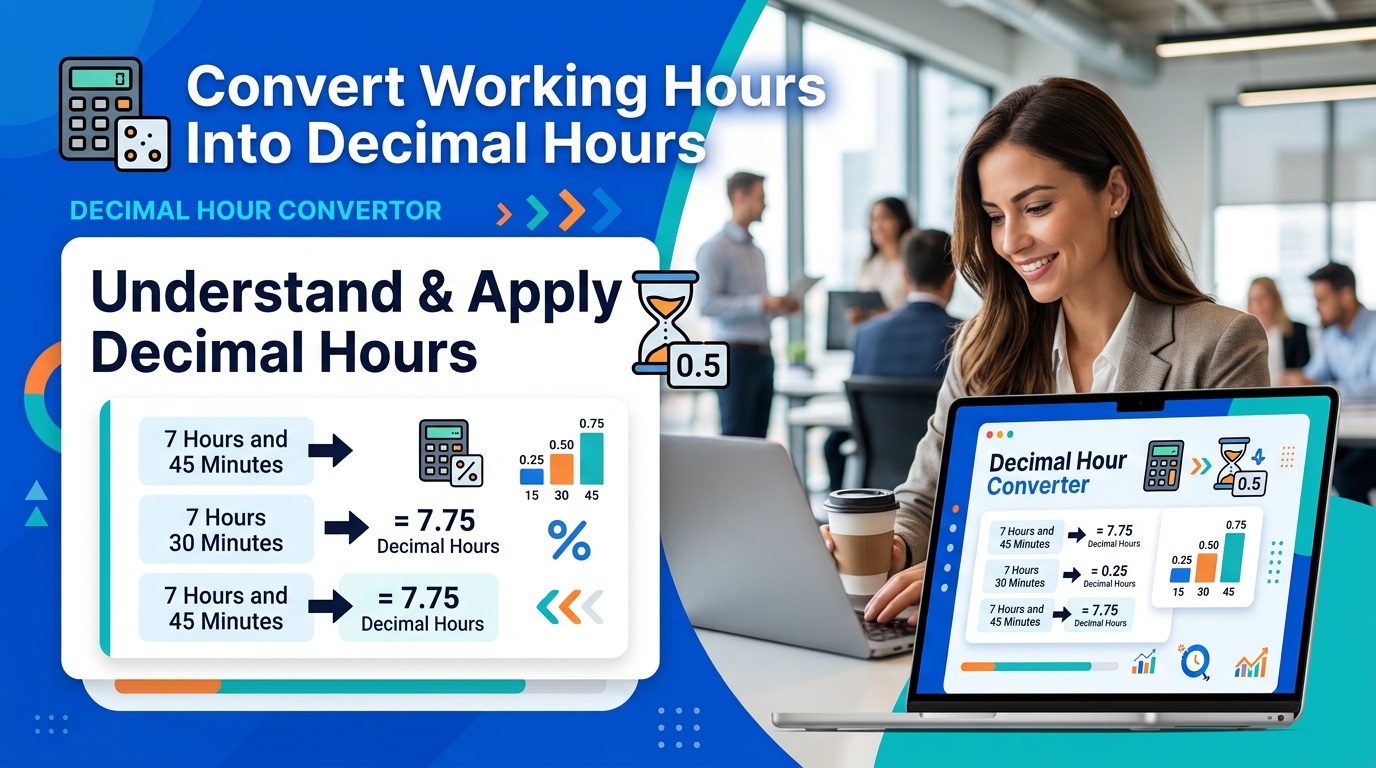
Some timesheets, payroll systems, invoices, and spreadsheets require working hours in decimal format instead of hours and minutes.
To convert a duration into decimal hours, divide the minutes by 60 and add the result to the whole hours.
Formula:
For example:
| Hours and Minutes | Decimal Hours |
|---|---|
| 2 hours 15 minutes | 2.25 |
| 4 hours 30 minutes | 4.50 |
| 6 hours 45 minutes | 6.75 |
| 7 hours 30 minutes | 7.50 |
| 8 hours 15 minutes | 8.25 |
| 8 hours 45 minutes | 8.75 |
Why 7 Hours 45 Minutes Equals 7.75 Hours
Divide 45 minutes by 60 to get 0.75, then add 7 hours.
Minutes are not decimal digits. Seven hours 45 minutes equals 7.75 hours, not 7.45 hours.
Converting minutes correctly is particularly important when calculating pay based on an hourly rate or entering work durations into a payroll spreadsheet.
Convert hours and minutes into decimal format.
Check the decimal equivalent of a working duration before entering it into a timesheet, spreadsheet, or invoice.
Need to convert a specific number of minutes into hours?
Calculate Work Hours for Different Shifts
Different jobs have different schedules, so it helps to understand how the same calculation applies to various working patterns.
Full-Time Office Schedules
If you work from 9:00 AM to 5:30 PM with a 30-minute unpaid lunch break, your net working time is 8 hours.
= 8 hours
Part-Time Schedules
If you work from 10:00 AM to 2:30 PM without an unpaid break, your working time is 4 hours 30 minutes.
= 4 hours 30 minutes
Rotating Shifts
If your schedule changes each day, calculate each shift separately. This helps you maintain accurate daily and weekly totals even when start and finish times vary.
Night Shifts
For a shift from 9:30 PM to 5:30 AM the next day, the total elapsed time is 8 hours. Deduct any applicable unpaid breaks to find the net working time.
= 8 hours
Split Shifts
If you work from 7:00 AM to 11:00 AM and return from 3:00 PM to 7:00 PM, you have worked 8 hours in total, assuming no other deductions.
These calculations can help employees, managers, freelancers, and business owners organize schedules and review recorded work hours.
Need to understand time calculations beyond work schedules?
Work Hours Calculator vs. Time Clock Calculator
Both tools can help you calculate working hours, but the best choice depends on what you need to work out.
| Tool | Best Use |
|---|---|
| Work Hours Calculator | Calculating the duration of a work period and finding total hours worked. |
| Time Clock Calculator | Calculating clock-in and clock-out times, especially when break deductions are part of the process. |
| Time Duration Calculator | Finding elapsed time between two clock readings for work or everyday activities. |
| Timesheet Calculator | Combining daily entries into a weekly or pay-period total when the tool supports those features. |
Choose the tool that matches your calculation. If you only need to find the length of a shift, a basic work-time calculation may be enough. If you need to total several days, look for a tool that supports multiple entries.
Choose the right time calculator for your task.
For general calculations involving clock times, durations, and everyday time problems, explore the Time Calculator.
Common Mistakes When Calculating Work Hours
Small errors can affect your timesheet totals. Check these common issues before recording your results.
1. Forgetting to Subtract Unpaid Breaks
A shift from 8:00 AM to 5:00 PM lasts 9 hours. With a one-hour unpaid break, the net working time is 8 hours.
2. Miscalculating Overnight Shifts
A shift from 10:00 PM to 6:00 AM the next day lasts 8 hours, not a negative duration.
= 8 hours
3. Confusing Minutes With Decimal Hours
Seven hours 30 minutes equals 7.5 decimal hours, not 7.30.
4. Adding Weekly Totals Incorrectly
Convert durations carefully when combining different shifts. For example, 7 hours 45 minutes plus 2 hours 30 minutes equals 10 hours 15 minutes.
5. Using the Wrong AM or PM Setting
Check whether your shift starts in the morning or evening. A mistaken AM/PM selection can change the result substantially.
6. Assuming Every Break Is Unpaid
Only deduct the time that should be excluded according to the relevant work arrangement. Paid and unpaid breaks may be treated differently.
7. Confusing Total Hours With Overtime
A calculator can total your working time, but overtime eligibility and rates depend on the applicable employment rules and agreement. Do not assume a particular overtime threshold applies to everyone.
Checking these details before submitting a timesheet can help you avoid simple calculation errors and keep work records consistent.
Frequently Asked Questions
How do I calculate my work hours?
Subtract your start time from your finish time, then deduct any unpaid breaks. For example, 9:00 AM to 5:30 PM is 8 hours 30 minutes. After a 30-minute unpaid break, the total is 8 hours.
How do I calculate working hours with a lunch break?
Calculate the time between clock-in and clock-out, then subtract the lunch break if it is unpaid. A shift from 8:30 AM to 5:00 PM lasts 8 hours 30 minutes; a 30-minute unpaid lunch leaves 8 working hours.
How many hours are there between 8 AM and 5 PM?
There are 9 hours between 8:00 AM and 5:00 PM. If you take a one-hour unpaid break, the net working time is 8 hours.
How do I calculate hours worked overnight?
Calculate the time from the start until midnight, then add the time from midnight until the finish. For example, 10:00 PM to 6:00 AM the next day is 8 hours before any break deductions.
How do I calculate weekly work hours?
Calculate the net hours for each day and add them together. Deduct applicable unpaid breaks for each shift before calculating the weekly total.
What is the difference between work hours and elapsed time?
Elapsed time is the full period between a start and finish time. Work hours are the time counted as working time after any applicable unpaid breaks or exclusions have been deducted.
How do I convert 8 hours and 30 minutes into decimal hours?
Divide 30 minutes by 60 to get 0.5, then add it to 8. The result is 8.5 decimal hours.
Can I calculate my overtime with a work-time calculator?
A basic calculator can help you total hours worked. Determining overtime requires applying the relevant threshold, work arrangement, and local rules. Only rely on an overtime result if the tool supports the required settings and you have checked that they are appropriate.
Calculate Your Work Hours With Less Manual Effort
Whether you are checking a single shift, preparing a timesheet, calculating an overnight schedule, or converting hours into decimal format, accurate time calculations can make work planning easier.
Use the Work Hours Calculator on Calculator Online Pro to simplify your calculations and check your working hours. For related tasks, explore a time calculator or a dedicated duration calculator to find the tool that best fits your needs.
Work Hours Calculator
Calculate shift duration, check hours worked, and account for breaks before recording your results.
Need another way to calculate time?
Choose a related calculator for general time calculations, elapsed durations, or combining time values.