
How your exact age is calculated from your date of birth
Knowing your age in years is straightforward. The calculation becomes more useful when you need the same age expressed in months, weeks, days or hours.
The key is to calculate the actual time between your date of birth and a chosen date rather than simply multiplying your age by an average number of days.
Calculator Online Pro makes this process easier by providing age-related calculators that can calculate age from a birth date and handle calendar differences automatically. You can use the Age Calculator for your standard age breakdown, or use dedicated tools when you need age in days or months.
Need your exact age calculation now?
Calculate Your Exact Age →Find Your Age in Months, Weeks, Days and Hours
Enter your date of birth and the date you want to calculate against.
For a current-age calculation, the comparison date is normally today. If you need to know your age on a particular past or future date, use that date as the reference point.
Calculator Online Pro provides several age and date tools, including:
This means you can choose the calculation that matches the result you actually need instead of trying to work it out manually.
How Age Is Calculated From a Date of Birth
The basic calculation starts with two dates:
Example
Date of birth: 15 March 2000
Calculation date: 15 September 2026
The calculation then needs to account for the actual calendar rather than treating every month as having the same number of days.
That distinction matters because:
- Some months have 30 days.
- Some months have 31 days.
- February has 28 days in a common year.
- February has 29 days in a leap year.
A reliable age calculation therefore works with the calendar dates rather than assuming that one month always equals a fixed number of days.
Calculator Online Pro’s Age Calculator specifically accounts for leap years and variable month lengths when calculating age.
Need the result now? Calculate your age from your birth date.
Age Calculator →How Age in Months Is Calculated
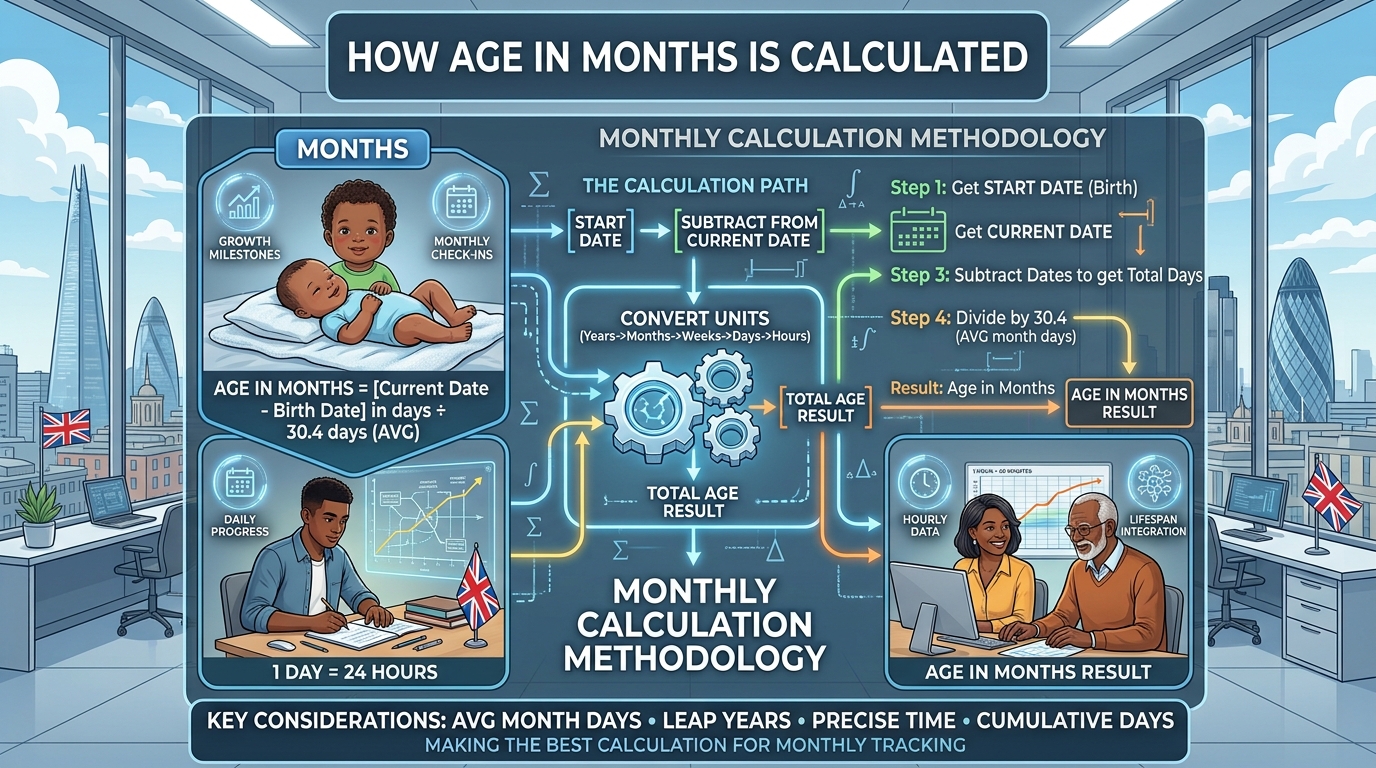
Age in months can be represented in more than one way, depending on the calculation being requested.
For a calendar age, completed years can first be converted into months:
For example:
4 years and 7 months
The remaining days are kept separately when the result is expressed as years, months and days.
Why Simple Month Conversion Can Produce Different Answers
Suppose someone was born near the end of a month and the calculation date falls at the end of another month.
A calculation based purely on:
may produce a different result from a calendar-based calculation.
For age expressed in completed calendar months, the actual dates matter.
That is why an online age-in-months calculator can be more convenient than manually counting calendar pages.
How Age in Weeks Is Calculated
Weeks provide another way to express the elapsed time between two dates.
Once the total number of completed days is known:
For example:
700 days ÷ 7 = 100 weeks
If the number of days does not divide evenly by seven, the remaining days can be retained.
This format is particularly useful when you need a shorter time-based measurement than years and months.
Converting Years Into Weeks
You should avoid using a fixed multiplication such as:
when you need an exact result.
A calendar year can contain 365 or 366 days, and:
366 days = 52 weeks + 2 days
So the exact number of weeks depends on the actual dates being compared.
How Age in Days Is Calculated
Age in days is based directly on the elapsed calendar time between the birth date and the calculation date.
For example, if the date difference is:
10,000 days
then the person’s age can also be described as:
This format can be useful when you need a precise total rather than a conventional age such as 27 years and 4 months.
Calculator Online Pro provides a dedicated Age in Days Calculator, making this calculation easier without manually counting dates.
Need the total number of days between two dates?
How Age in Hours Is Calculated
Once the elapsed number of days is known, hours can be calculated using:
For example:
However, an important distinction applies when someone needs an exact hour-level result.
A calculation based only on dates knows the number of calendar days between two dates. It does not automatically know the exact time of birth unless a birth time is also included.
For that reason, an age expressed in hours can depend on whether the calculation uses:
- Date only
- Date and time of birth
- Date and time of the reference point
- Time-zone information
For ordinary date-based age calculations, hours are therefore a more granular expression of elapsed time rather than a replacement for the conventional calendar age.
Years, Months, Weeks, Days and Hours: The Difference
The same elapsed period can be displayed in several ways.
| Age Format | Calculation Approach | Useful For |
|---|---|---|
| Years, months and days | Calendar-based date difference | Everyday exact age |
| Total months | Completed calendar months | Age in months |
| Total weeks | Days divided into seven-day periods | Weekly age tracking |
| Total days | Difference between two dates | Exact elapsed days |
| Total hours | Days converted into 24-hour periods, subject to time precision | Detailed elapsed-time calculations |
The important point is that these formats are different representations of the same elapsed period.
A result such as 25 years, 4 months and 12 days should not automatically be converted into months by multiplying 25 years by 12 and ignoring the remaining calendar details.
Use the format that matches the question you are trying to answer.
Why Leap Years Matter in Age Calculations
Leap years can affect calculations because February can contain an additional day.
If a person’s date range crosses February 29, that extra calendar day becomes part of the elapsed-time calculation.
This is one reason manual calculations can become difficult when the date range covers several years.
Calculator Online Pro’s Age Calculator accounts for leap years automatically, so you do not need to manually check every year in the date range.
For a faster calculation, enter your dates directly.
Exact Age Calculator →Why Months Cannot Simply Be Treated as 30 Days
A common shortcut is:
That can be useful for rough estimates, but it does not represent the calendar accurately.
Months can contain:
As a result, converting an exact age into months by simply multiplying or dividing by 30 can produce a different answer from a calendar-based age calculation.
For example, an age of 2 years, 3 months and 10 days is not most accurately represented by treating every previous month as exactly 30 days.
When calendar accuracy matters, calculate from the actual dates.
Example: Calculating Age in Multiple Formats
Consider a person born on:
and calculate their age on:
The calendar age is:
21 years
The equivalent completed-month representation is:
The number of days depends on the exact calendar years included, including whether leap years fall inside the period.
The total weeks and hours can then be derived from the actual elapsed days.
This demonstrates why an exact age calculation should begin with the two dates rather than an assumed average number of days per year or month.
For real calculations, enter the dates directly into Calculator Online Pro instead of manually working through each calendar year.
Calculate Age for a Specific Date
You do not have to calculate age only for today.
A date-based age calculation can be useful when you need to know someone’s age:
- On a particular birthday
- On an application deadline
- On an event date
- At the beginning or end of a period
- On a historical date
- On a future date
- Between two specific dates
The calculation simply changes the reference date.
Date of birth: 20 August 1998
Reference date: 1 January 2027
The calculator determines the age based on those two dates rather than using today’s date.
Calculator Online Pro includes an Age From Date to Date Calculator and an Age Difference Calculator for date-specific calculations.
Age Calculation for Babies and Young Children
For babies and young children, expressing age only in years can hide useful detail.
For example, saying:
does not show whether the child is 12 months, 15 months or 20 months old.
Depending on the purpose of the calculation, parents and professionals may need a more detailed age such as:
14 months
or:
62 weeks
or:
430 days
The appropriate format depends on the context and the precision required.
When you need a quick calendar-based result, an age calculator removes the need to count months or days manually.
Manual Age Calculation vs an Online Calculator
Manual calculation is possible, but it becomes increasingly inconvenient when the date range includes multiple years, leap years or different month lengths.
| Manual Calculation | Calculator Online Pro |
|---|---|
| Requires calendar checking | Enter the dates and calculate |
| Easy to make date-counting mistakes | Automated calculation |
| Leap years must be checked | Leap years handled automatically |
| Month lengths need to be considered | Calendar-based age calculation |
| Separate conversions may be required | Dedicated age tools are available |
| Takes longer for repeated calculations | Results appear directly in the browser |
Calculator Online Pro is designed around quick, browser-based calculations. Its tools process calculations locally in the browser, so there is no server round-trip required for the calculation.
That makes it practical when you need to check several dates without downloading software or creating an account.
Use Calculator Online Pro for Faster Age Calculations
Instead of calculating years, months, weeks, days and hours separately, use the age tool that matches your requirement.
For Standard Exact Age
Use the Age Calculator to calculate age in years, months and days from a birth date.
Use Age Calculator →For Date Comparisons
Use the Age Difference or Date-to-Date tools when you need to compare two dates rather than simply calculate a person’s current age.
Compare Dates →Try Calculator Online Pro — no signup or downloads required.
Calculate Your Age →Advantages of Using Calculator Online Pro
Fast Results
You can enter your figures directly into the browser and receive the calculation without working through calendar arithmetic manually.
Multiple Age Formats
Calculator Online Pro’s age-related tools cover different ways of working with dates, including age, months, days and date differences.
Handles Calendar Variations
Age calculations account for variable month lengths and leap years rather than relying on a single fixed month length.
No Signup Required
Calculator Online Pro states that its tools are free and available without registration.
Browser-Based
There is no software installation required. The site is designed to work through a browser on desktop and mobile devices.
Privacy-Focused Calculations
Calculator Online Pro states that its calculations run locally in the browser and that figures entered into its tools are not transmitted to or stored on its servers.
Frequently Asked Questions
How do I calculate my age in months?
Start with your date of birth and the date on which you want to calculate your age. Convert completed years into months using 12 months per year and add the completed calendar months. For exact calendar results, use an age-in-months calculator rather than assuming every month contains 30 days.
How do I calculate my age in weeks?
First determine the exact number of elapsed days between your birth date and the calculation date. Divide the completed days by 7 to obtain the number of complete weeks, with any remaining days kept separately.
How do I calculate my age in days?
Subtract your date of birth from the calculation date. The resulting date difference gives the elapsed number of days. Leap years and the actual calendar dates need to be included for an accurate result.
How do I calculate my age in hours?
For a date-only calculation, multiply the elapsed days by 24. If you need an exact hour-level age, the calculation also needs sufficiently precise birth and reference times.
Why does my age in months differ from days divided by 30?
Because calendar months do not all contain 30 days. They can contain 28, 29, 30 or 31 days. Calendar-based age calculations use the actual dates rather than treating every month as identical.
Does a leap year change my age calculation?
It can change the number of elapsed days in a date range because a leap year contains February 29. An accurate date-based calculation therefore needs to account for leap years.
Can I calculate my age on a future date?
Yes. Instead of using today’s date, use the future date as the reference date. This lets you calculate how old you will be on a particular date.
Can I calculate age between two dates?
Yes. Calculator Online Pro provides an Age From Date to Date Calculator and an Age Difference Calculator for date comparisons.
Can I calculate age without signing up?
Calculator Online Pro states that its tools are free with no registration required.
Can I use Calculator Online Pro on my phone?
Yes. The website is designed for mobile browsers, so you can use its calculator tools from a phone or tablet without installing an app.
Calculate Your Exact Age Without the Manual Maths
Age calculations become more complicated when you move beyond simple years.
Months have different lengths. Leap years add an extra day. Weeks depend on the actual number of elapsed days, while hours require an additional level of time precision.
Instead of checking calendars and performing several conversions yourself, use Calculator Online Pro to handle the calculation directly in your browser.
Enter your date of birth, choose the relevant calculation, and get your result in the format you need.
Choose the Calculation That Matches Your Need
- Years, months and days: Use the standard Age Calculator.
- Total months: Use the Age in Months Calculator.
- Total weeks: Calculate elapsed days and divide them into seven-day periods.
- Total days: Use the Age in Days Calculator.
- Total hours: Convert elapsed days into 24-hour periods, with time information considered when greater precision is required.
Want to understand the date logic behind age calculations?
Read the Age Guide →Ready to Calculate Your Exact Age?
Enter your date of birth and get the calculation in the format you need.