
Calculate your hours, check your break deductions and review your weekly total before submitting your timesheet.
Need to calculate your work hours without adding up every shift manually? Use our free work hours calculator to work out daily hours, weekly totals, unpaid breaks and overtime from your clock-in and clock-out times. It can also help you convert hours and minutes into decimal hours for timesheets, payroll checks and hourly pay calculations.
Whether you are an hourly employee checking your timesheet, a freelancer tracking billable hours or a small business owner preparing payroll, accurate time calculations make it easier to review your working hours and avoid common mistakes.
How to Use the Free Work Hours Calculator
You do not need to calculate every shift separately with a pen and paper. Enter your working times, account for unpaid breaks and review the total.
Example: 8:30 AM to 5:00 PM
If you start at 8:30 AM, finish at 5:00 PM and take a 30-minute unpaid lunch break, your total paid working time is 8 hours.
If your calculator offers decimal-hour results, you can also use that figure when completing a payroll form that requires hours in decimal format.
Calculate Work Hours with Clock-In, Clock-Out and Breaks
The easiest way to calculate working hours is to find the difference between your start and finish times, then subtract any unpaid breaks that should not count as working time.
Calculation:
Here are examples of common work schedules.
| Clock-in | Clock-out | Unpaid break | Total work time |
|---|---|---|---|
| 9:00 AM | 5:00 PM | 30 minutes | 7 hours 30 minutes |
| 8:00 AM | 4:30 PM | 30 minutes | 8 hours |
| 7:30 AM | 4:00 PM | 60 minutes | 7 hours 30 minutes |
| 10:00 AM | 6:00 PM | 0 minutes | 8 hours |
These examples assume the stated break is unpaid and there are no other breaks or adjustments.
A work hours calculator is particularly helpful when your shifts vary throughout the week. Instead of assuming you worked the same number of hours every day, calculate each shift separately and then add the results together.
Free Work Hours Calculator with Lunch Breaks
Lunch breaks can make a significant difference to your total paid hours. If you record the time between arriving and leaving work without accounting for an unpaid meal break, your calculation may be higher than the hours you actually worked.
Example: 8:00 AM to 5:00 PM
A shift from 8:00 AM to 5:00 PM covers nine hours on the clock. After deducting a 60-minute unpaid lunch break, the net working time is eight hours.
Keep these points in mind when completing your time card:
A break calculator can help with the arithmetic, but the correct treatment of a break depends on your employment arrangement and local rules.
Calculate Weekly Work Hours and Total Timesheet Hours
If you work different shifts on different days, a weekly work hours calculator helps you bring everything together into one total.
Suppose your recorded hours after unpaid breaks are:
| Day | Net working time |
|---|---|
| Monday | 8 hours |
| Tuesday | 7 hours 30 minutes |
| Wednesday | 8 hours |
| Thursday | 7 hours 30 minutes |
| Friday | 8 hours |
| Weekly total | 39 hours |
Your total is 39 hours, not the total time spent at the workplace before break deductions.
For accurate weekly timesheets:
If you are paid weekly or fortnightly, make sure you use the correct date range. A seven-day workweek and a fourteen-day pay period are not interchangeable when overtime or payroll thresholds apply.
Want a clearer way to total your weekly hours?
How to Calculate Overnight Shifts
Working across midnight can make manual time calculations confusing. For example, a shift may begin at 10:00 PM and finish at 6:00 AM the following morning.
The shift lasts eight hours before any break deductions.
| Shift start | Shift finish | Elapsed time |
|---|---|---|
| 10:00 PM | 6:00 AM | 8 hours |
| 11:00 PM | 7:00 AM | 8 hours |
| 9:30 PM | 5:30 AM | 8 hours |
| 11:30 PM | 4:30 AM | 5 hours |
These figures assume that the finish time falls on the following calendar day.
When entering a night shift, make sure your calculator supports overnight time entries or lets you specify the next-day finish time. If it does not, calculate the two parts of the shift separately to avoid a negative or incorrect result.
Need a more detailed calculation for overnight intervals?
Work out the elapsed time between two points with our duration guide.
Convert Time Card Hours into Decimal Hours
Some timesheets display working time in hours and minutes, while payroll systems may request decimal hours. These formats represent the same duration differently.
To convert minutes into decimal hours, divide the number of minutes by 60 and add the result to the whole hours.
For example, 7 hours and 30 minutes becomes 7.50 decimal hours because 30 divided by 60 equals 0.50.
Decimal Hours Conversion Chart
| Hours and minutes | Decimal hours |
|---|---|
| 15 minutes | 0.25 |
| 30 minutes | 0.50 |
| 45 minutes | 0.75 |
| 1 hour 15 minutes | 1.25 |
| 1 hour 30 minutes | 1.50 |
| 2 hours 45 minutes | 2.75 |
| 7 hours 15 minutes | 7.25 |
| 7 hours 30 minutes | 7.50 |
| 7 hours 45 minutes | 7.75 |
| 8 hours 30 minutes | 8.50 |
Remember: 7 hours 30 minutes is 7.50 decimal hours, not 7.30. Decimal hours use fractions of an hour rather than treating minutes as hundredths.
If you regularly need this conversion, use a duration calculator alongside your time card calculations.
Want a fuller walkthrough of time calculations?
Calculate Overtime Hours from Your Timesheet
Overtime is not always calculated in the same way for every employee. Your applicable rules may depend on your country, state or region, employment agreement, pay period and the type of work you perform.
To review your hours:
Example: 43 Qualifying Hours
If a valid weekly overtime rule applies after 40 hours and you record 43 qualifying hours, three hours exceed that threshold.
This example illustrates the arithmetic only; it does not determine whether a particular employee is legally entitled to overtime.
Do not assume that every calculator’s default overtime setting matches your circumstances. Some jurisdictions apply daily thresholds, different multipliers or special rules for particular workers.
Use your time card total as a starting point, then verify the applicable payroll requirements before finalising wages.
Calculate Estimated Pay from Your Working Hours
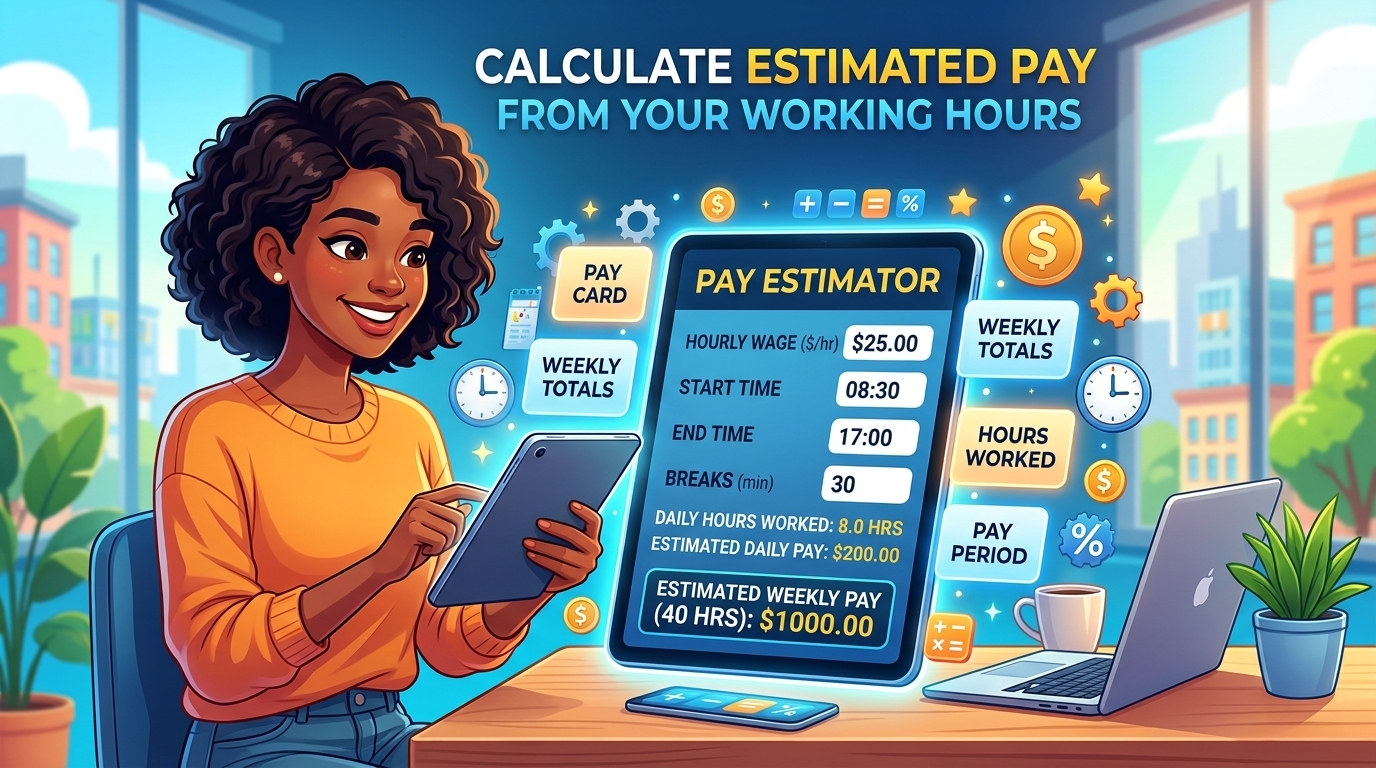
If you know your hourly rate, your recorded working hours can help you estimate your gross earnings before payroll deductions.
For a straightforward shift with no overtime:
These examples do not account for overtime, holiday pay, bonuses, tax, pension contributions or other payroll adjustments. If overtime applies, calculate eligible regular and overtime hours separately using the appropriate rates.
Use the hourly pay option if your chosen calculator provides one. Otherwise, calculate your net hours first and multiply them by your applicable rate.
Common Time Card Calculation Mistakes to Avoid
Even a small error in a clock-in time or break entry can affect your weekly total. Check the following before relying on your result.
1. Forgetting Unpaid Lunch Breaks
A shift from 9:00 AM to 5:00 PM is eight hours on the clock. With a 30-minute unpaid lunch, the net total is 7 hours 30 minutes.
2. Confusing Decimal Hours with Minutes
Do not enter 7.30 when you mean seven hours and 30 minutes in decimal format. Use 7.50 decimal hours.
3. Entering the Wrong AM or PM
A morning start entered as an evening time can produce a completely different result. Review your entries before calculating totals.
4. Ignoring Shifts That Cross Midnight
A shift beginning at night and ending the next morning needs to be calculated over two calendar days or handled by an overnight-capable calculator.
5. Using the Wrong Overtime Threshold
A default threshold is not necessarily the correct rule for your job or location. Verify the applicable requirement before estimating overtime pay.
6. Rounding Too Early
Keep the original recorded times where possible and follow the required rounding method. Rounding individual entries prematurely can cause discrepancies when hours are added across several shifts.
7. Submitting Totals Without Checking Your Records
Compare your calculated hours with clock-in records, approved schedules and any corrections authorised by your employer.
Who Can Benefit from a work hours Calculator?
A work hours calculator can help anyone who needs to total recorded work hours or check a timesheet.
The calculator helps with time arithmetic, but it does not replace your employer’s attendance system, approved records or payroll policies.
Related Calculators for Faster Time Tracking
You may need more than a time card total when checking your working schedule or completing a timesheet. These tools can help with related calculations.
Use the relevant tool for each task rather than manually repeating calculations. For payroll preparation, always verify that the final recorded hours match the source attendance records.
Frequently Asked Questions
Is there a free work hours calculator I can use online?
Yes. An online work hours calculator can help you total clock-in and clock-out times, account for unpaid breaks and calculate daily or weekly work hours. Available features vary, so check whether your selected tool supports overtime, decimal hours and estimated pay.
How do I calculate my work hours with a time card?
Subtract your start time from your finish time, then deduct any applicable unpaid breaks. Repeat the calculation for each shift and add the net hours together for the required period.
How do I calculate 8 hours of work with a 30-minute lunch break?
If you need eight paid working hours and take a 30-minute unpaid lunch, you need to spend eight hours and 30 minutes between starting and finishing work. For example, starting at 9:00 AM means finishing at 5:30 PM.
Does a work hours calculator subtract lunch breaks automatically?
That depends on the calculator. Some tools let you enter a break duration for each day, while others may provide additional break settings. Check the displayed result and confirm that the deduction matches your actual break and applicable workplace rules.
How do I calculate 40 hours a week?
Add your net working hours for all shifts in the relevant workweek. For example, five days of eight paid hours each equal 40 hours. If your shifts differ, calculate each day’s net hours and add them together.
How do I convert 7 hours and 30 minutes into decimal hours?
Divide 30 minutes by 60 to get 0.50, then add the seven whole hours. The answer is 7.50 decimal hours.
Can I use a work hours calculator for overnight shifts?
Yes, if the calculator supports shifts that cross midnight. A shift from 10:00 PM to 6:00 AM the following day lasts eight hours before break deductions. If overnight entries are not supported, calculate the elapsed time in separate parts.
Can a work hours calculator calculate overtime pay?
Some calculators support overtime estimates by letting you enter regular hours, an overtime threshold, an hourly rate and an applicable multiplier. Results should be checked against the overtime rules that apply to your employment.
Is a work hours calculator accurate for payroll?
It can accurately perform the arithmetic for correctly entered times, subject to the calculator’s features and rounding rules. However, payroll accuracy also depends on correct attendance records, break treatment, overtime eligibility and any applicable pay adjustments.
What is the difference between a time card and a timesheet?
A time card typically records when an employee starts and finishes work, including relevant break information. A timesheet summarises the time worked over a period for reporting, approval, billing or payroll. The terms are often used interchangeably.
Calculate Your Hours and Check Your Timesheet
Manual time calculations can become difficult when you work different shifts, take variable breaks or need to convert hours into payroll decimals. A reliable calculation process helps you check your totals before submitting your records.
Start with your recorded clock-in and clock-out times, account for applicable unpaid breaks, and review the final hours against your attendance records.
Use the calculator above to work through your shifts, then explore our related time tools if you need to convert time formats or calculate elapsed hours.
Time Clock Calculator
Work out your daily clock-in, clock-out and break calculations in one place.