
Calculate your actual work hours after lunch and unpaid breaks, including daily totals, weekly time, decimal hours, and overnight shifts.
If you need to know how many hours you actually worked after lunch, enter your start time, end time, and unpaid lunch break into the Work Hours Calculator. It calculates the net working time without making you manually subtract minutes.
For example, if you clock in at 8:00 AM, clock out at 5:00 PM, and take a 1-hour unpaid lunch, your total elapsed time is 9 hours and your actual hours worked are 8 hours.
Quick Example
How Many Hours Did I Work With Lunch?
The quickest way to calculate your work hours is:
For example, if you worked from 9:00 AM to 5:30 PM and had a 30-minute unpaid lunch:
So your time card should show 8 hours worked. This is one of the most common reasons a simple clock-in and clock-out calculation can give you a different number from your payroll or timesheet.
Quick Examples
| Start | End | Lunch | Hours Worked |
|---|---|---|---|
| 8:00 AM | 5:00 PM | 30 min | 8:30 |
| 8:00 AM | 5:00 PM | 60 min | 8:00 |
| 9:00 AM | 5:30 PM | 30 min | 8:00 |
| 7:30 AM | 4:00 PM | 30 min | 8:00 |
| 8:30 AM | 5:30 PM | 45 min | 8:15 |
Want to understand work-time calculations in more detail?
Learn how to calculate actual working time from start, finish, and break periods.
How to Use the Work Hours Calculator With Lunch Break
You only need the information from your time card.
This is particularly useful when your lunch changes from day to day. You might have a 30-minute lunch Monday, a 45-minute lunch Tuesday, and a 60-minute lunch Wednesday. Each day’s break can be calculated separately rather than assuming the same deduction every day.
Need to calculate hours from clock-in and clock-out times?
Calculate hours with an easy timekeeping workflow.
How to Calculate a Time Card With a 30-Minute Lunch
A 30-minute lunch is 0.50 decimal hours.
Suppose your schedule is 8:00 AM to 4:30 PM. The total time between those two times is 8 hours 30 minutes.
Result
An employee working 8:00 AM to 4:30 PM with a 30-minute unpaid lunch has 8 hours of net working time.
How to Calculate a Time Card With a 1-Hour Lunch
Suppose you work from 8:00 AM to 5:00 PM. That gives you 9 hours of elapsed time.
Result
With a one-hour unpaid lunch, 8:00 AM to 5:00 PM gives you 8 hours worked. If your goal is to work 8 actual hours and your lunch is one hour unpaid, you need a 9-hour span between starting and finishing.
What If My Lunch Is 45 Minutes?
A 45-minute lunch equals 0.75 decimal hours.
For example:
9:00 − 0:45 = 8:15
Your net working time is 8 hours 15 minutes, or 8.25 decimal hours.
This is important when your payroll system asks for decimal hours instead of an hours-and-minutes format.
Work Hours Calculator in Decimal Hours
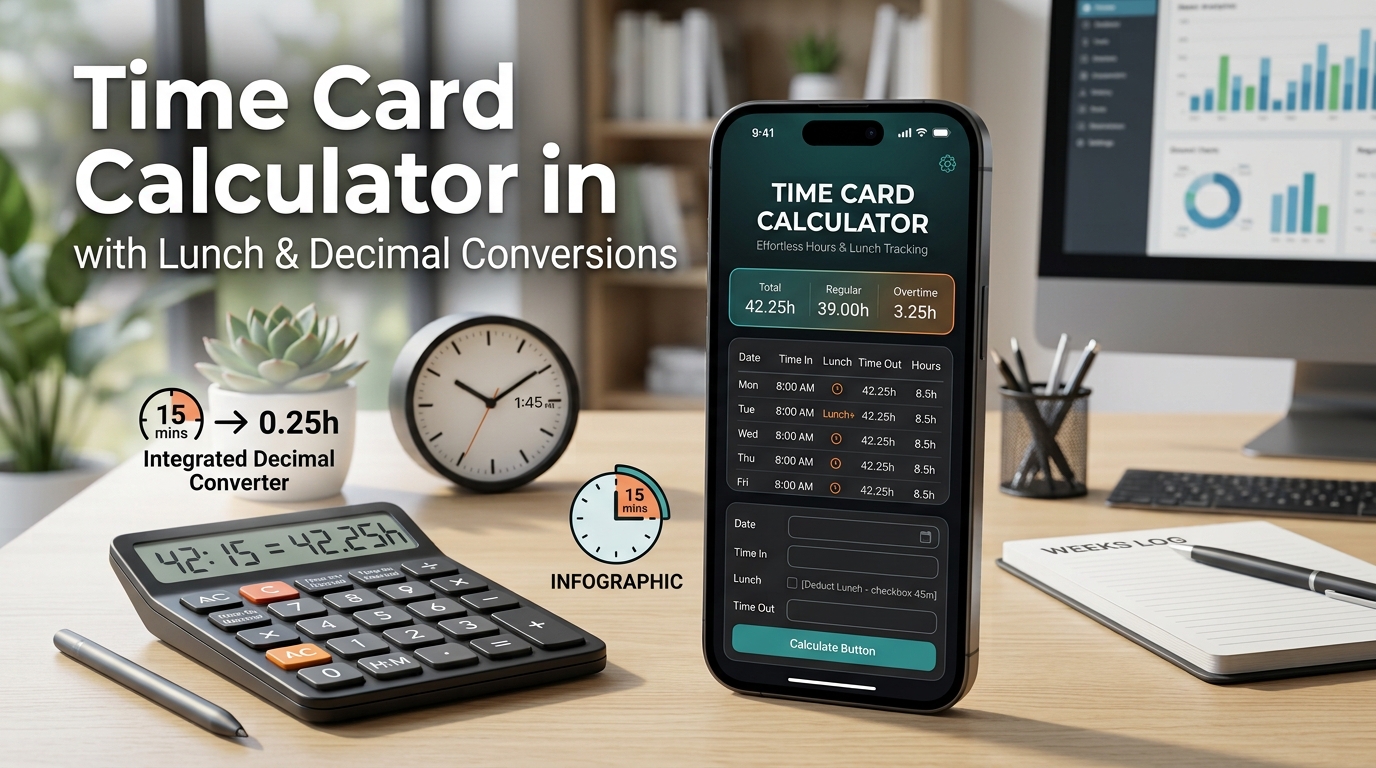
Many timesheets and payroll systems use decimal hours. Instead of entering 8 hours 30 minutes, you may need to enter 8.50 hours.
Common Conversions
| Work Time | Decimal |
|---|---|
| 8:00 | 8.00 |
| 8:15 | 8.25 |
| 8:30 | 8.50 |
| 8:45 | 8.75 |
| 9:00 | 9.00 |
| 9:15 | 9.25 |
| 9:30 | 9.50 |
| 9:45 | 9.75 |
So if your time card says 7 hours 45 minutes, don’t enter 7.45 as decimal time.
The correct value is 7.75 decimal hours. The calculator can save you from doing this conversion manually.
Want practical help with adding, subtracting, and calculating time values?
Weekly Work Hours Calculator With Lunch Break
If you need to calculate an entire week’s hours, don’t add the clock times together directly. Calculate the net working time for each day, then add the daily results.
Example Weekly Time Card
| Day | Clock In | Clock Out | Lunch | Worked |
|---|---|---|---|---|
| Monday | 8:00 AM | 5:00 PM | 60 min | 8:00 |
| Tuesday | 8:00 AM | 5:00 PM | 60 min | 8:00 |
| Wednesday | 8:00 AM | 5:30 PM | 60 min | 8:30 |
| Thursday | 8:00 AM | 5:00 PM | 30 min | 8:30 |
| Friday | 8:00 AM | 4:30 PM | 30 min | 8:00 |
Weekly Result
41 hours or 41.00 decimal hours.
A weekly work hours calculator is especially helpful when your start, finish, and lunch times are different every day.
Want to check your weekly time-card entries?
Calculate work hours and review time-card entries without doing the arithmetic manually.
Time Card With Lunch Out and Lunch In
Some workplaces don’t record lunch as a simple number such as “30 minutes.” Instead, the time card contains separate lunch punches:
For example:
You can calculate the two working periods separately:
12:30 PM → 5:00 PM = 4 hours 30 minutes
Total Working Time
The 30-minute lunch is already excluded because you’re adding the two actual working periods. Don’t subtract the lunch a second time.
This is a common source of errors when employees manually transfer punch data into a timesheet.
What If My Lunch Changes Every Day?
You don’t have to use the same lunch deduction for every day. Calculate each day using the actual unpaid break.
This gives you a more accurate weekly total than simply assuming that every workday has a one-hour lunch.
How to Calculate Hours Worked With Multiple Breaks
If you have more than one unpaid break, add the unpaid breaks together before deducting them.
Example: Multiple Unpaid Breaks
8:00 AM → 5:00 PM = 9 hours
Net working time: 7 hours 45 minutes or 7.75 decimal hours.
If a break is paid and should remain part of your recorded working time, don’t deduct it simply because it is a break. Use the rules and timekeeping method that apply to your workplace.
How to Calculate an Overnight Time Card With Lunch
Overnight shifts can be confusing because the clock-out time may appear earlier than the clock-in time.
For example:
If you take a 30-minute unpaid lunch:
Result
7 hours 30 minutes of net working time.
When entering an overnight shift, make sure the calculator knows that the end time is on the following day. Many modern time-card calculators handle this by treating an end time earlier than the start time as an overnight shift.
Want to calculate the duration between two times accurately?
Learn how to calculate the duration between two times, including shifts that cross midnight.
How Many Hours Is a 9-to-5 Job With Lunch?
This depends on the length of the lunch. The phrase “9 to 5” alone isn’t enough to determine actual paid or working hours.
| Schedule | Lunch | Hours Worked |
|---|---|---|
| 9 AM → 5 PM | 30-minute lunch | 7 hours 30 minutes |
| 9 AM → 5 PM | 1-hour lunch | 7 hours |
| 9 AM → 5:30 PM | 30-minute lunch | 8 hours |
You also need to know how the lunch or other breaks are recorded to determine the actual working time.
Need the exact time between two points in time?
Find the exact amount of time that passes between a start and an end time.
How to Calculate 8 Hours of Work With Lunch
This is a common timesheet question. If lunch is 30 minutes unpaid, you need 8 hours 30 minutes between your start and finish.
With a 30-Minute Lunch
8:00 AM → 4:30 PM with a 30-minute unpaid lunch = 8 hours worked.
With a 1-Hour Lunch
8:00 AM → 5:00 PM with a 1-hour unpaid lunch = 8 hours worked.
Work Hours Calculator for Employees
If you’re checking your hours before submitting a timesheet, use the calculator to catch simple mistakes before they affect your total.
It can help you check:
If your payroll record says 38.75 hours, for example, you can compare it against your daily entries and see whether the number makes sense.
Work Hours Calculator for Weekly Payroll
Small-business owners and managers can also use a work hours calculator to total employee hours before entering them into payroll.
A typical workflow is:
For example:
Weekly Total
39.75 hours
The calculator handles the arithmetic so you can focus on reviewing whether the recorded punches and break times are correct.
If you’re calculating wages as well, remember that overtime, rounding, paid breaks, and payroll rules can vary by workplace and jurisdiction. A calculator should be used as a mathematical check rather than as a determination of legal entitlement.
Is your calculation about money and the value of time?
Use a dedicated calculator when your calculation involves money and the value of time.
Time Card Formula With Lunch
For a standard workday:
For multiple unpaid breaks:
For an overnight shift, the calculation continues into the next day before the break is deducted.
Example: 7:30 AM to 4:30 PM
Common Time Card Mistakes With Lunch
1. Counting Lunch as Working Time
If your lunch is recorded as unpaid, it needs to be removed from the elapsed shift.
2. Subtracting Lunch Twice
If you’ve calculated the periods before and after lunch separately, the lunch is already excluded.
Don’t subtract another 30 minutes.
3. Treating 30 Minutes as 0.30 Hours
This is incorrect for decimal hours.
4. Treating 45 Minutes as 0.45 Hours
The correct conversion is:
Therefore, 8:45 = 8.75 decimal hours.
5. Forgetting an Overnight Shift
An overnight interval should not be treated as a negative duration.
6. Assuming Every Lunch Is the Same
If your actual breaks are different, enter the actual duration for each day.
Can I Calculate My Time Card Without Manually Doing the Math?
Yes. That’s exactly what an online time-card calculator is useful for.
Instead of calculating each interval, converting minutes to decimals, and adding the weekly total yourself, enter the times from your actual record.
Related Time Calculators
Different time calculations require different tools. Use the calculator that matches the type of time problem you’re solving.
Time Calculator
Add, subtract, and work with hours and minutes when you need a general time calculation.
Frequently Asked Questions
How do I calculate hours worked with lunch?
Subtract your start time from your end time and then subtract the unpaid lunch duration. For example, 8:00 AM to 5:00 PM is 9 hours; with a 1-hour unpaid lunch, the result is 8 hours.
How much is 30 minutes of lunch in decimal time?
30 minutes is 0.50 hours.
How much is 45 minutes in decimal hours?
45 minutes is 0.75 hours.
How much is 1 hour in decimal hours?
One hour is 1.00 decimal hour.
Does lunch count as work time on a time card?
It depends on how the lunch is classified and recorded. If it is an unpaid meal break, it is generally entered as a deduction in a calculator. Follow your employer’s timekeeping policy and applicable rules.
How do I calculate a weekly time card?
Calculate each day’s net working time after subtracting applicable unpaid breaks, then add the daily totals. A weekly calculator can perform these calculations automatically.
How do I calculate 8 hours with a 30-minute lunch?
You need 8 hours 30 minutes between your start and finish if the 30-minute lunch is unpaid. For example, 8:00 AM to 4:30 PM with a 30-minute unpaid lunch equals 8 hours worked.
How do I calculate 8 hours with a 1-hour lunch?
You need a 9-hour span between starting and finishing. For example, 8:00 AM to 5:00 PM with a 1-hour lunch equals 8 hours worked.
How do I calculate a time card with lunch out and lunch in?
Calculate the period before lunch and the period after lunch separately, then add them. For example, 8:00–12:00 is 4 hours and 12:30–5:00 is 4.5 hours, giving a total of 8.5 hours. Do not subtract the lunch again.
Can this calculate overnight work hours?
Yes, provided the calculator handles shifts that cross midnight. For example, 10:00 PM to 6:00 AM represents 8 hours before any unpaid break deduction.
Can I use a work hours calculator for payroll?
You can use it to verify the arithmetic of your recorded hours and prepare a payroll input. However, overtime, break, rounding, and other payroll treatment may depend on your employer’s policies and applicable laws.
Calculate Your Time Card With Lunch Now
You shouldn’t have to spend several minutes manually calculating every clock-in, clock-out, and lunch break.
Enter your actual work times into the Work Hours Calculator and quickly find your daily hours, weekly total, and decimal work hours.
Whether you’re an employee checking a timesheet, a manager reviewing hours, a freelancer tracking billable time, or a business owner preparing payroll records, the calculator gives you a much easier way to check the numbers.
Have Your Time Card Ready?
Enter the times and calculate your hours now.
Related Calculators
Time Duration Calculator
Find the exact duration between two times when you need to calculate elapsed time.